The best manual paper trimmer is the one that fits the paper you start with, not just the size you want to finish with. A machine that looks compact in a product photograph may still need room for a full sheet, a moving cutting arm, or an extended measuring guide.
This research-based shortlist compares three distinct formats: a Fiskars sliding-blade trimmer, a Swingline guillotine, and a CARL rotary cutter. You get conditional choices for home print projects rather than an invented accuracy ranking or a claim that we tested stacks in a workshop.
We inspected the exact linked US Amazon listings and official product information on October 19, 2026. The comparison uses documented features, with important limits called out where a manufacturer’s page does not establish a specific capacity.
Start with a sheet and a real project
Put an uncut sheet from your next project on the table before deciding how large a trimmer you need. Consider every direction you want to cut, because turning a sheet can change which edge has to fit along the cutting rail.
For example, trimming a border from a Letter print is a different job from cutting through the long edge of a larger poster. Measure the actual starting material and compare it with the manufacturer’s supported size, not just the finished card you plan to make.
Also think about how many identical pieces you need. A handful of invitation inserts may make alignment and repeatable measurement more important to you than a large advertised stack capacity.
| Exact model | Consider it for | Version checked |
|---|---|---|
| Fiskars SureCut Deluxe 12-inch | Visible cut-line and sliding carriage | Single 12-inch cutter; current inspected US listing |
| Swingline ClassicCut Lite 9312 | Guillotine arm for ordinary Letter projects | 12-inch · 10-sheet capacity · ClassicCut Lite; one cutter |
| CARL RT-200N Professional Rotary | Magnetic guide and replaceable cutting components | 12-inch size · single rotary cutter |

Fiskars SureCut Deluxe: consider a visible cut-line guide

Inspected package: Single 12-inch cutter; current inspected US listing
The linked Fiskars listing identifies the SureCut Deluxe with a 12-inch cutting length. Its manufacturer documents a wire cut-line indicator, a sliding blade carriage, a measuring grid, and a swing-out measuring deck extending beyond 15 inches.
Consider this option when your main question is where a straight cut will land on a printed design. A visible guide gives you a specific feature to compare, particularly if you often trim individual cards or small craft pieces.
The extended measuring arm does not turn the 12-inch cutting travel into a longer blade path. Keep those two measurements separate when deciding whether an oversized print will fit the cut you want to make.
The official page identifies compatible TripleTrack Style I replacement blades, but does not state a numeric sheet capacity in the inspected features. We therefore do not assign it a stack limit borrowed from a similar-looking Fiskars version or a retailer’s separate listing.
Its practical limitation is that you still need to learn the guide and alignment process for your own project. We did not measure cutting tolerance, blade life, or whether a particular coated cardstock works well, so treat those as questions rather than promised outcomes.
Check Price on AmazonSwingline ClassicCut Lite 9312: consider a familiar cutting arm
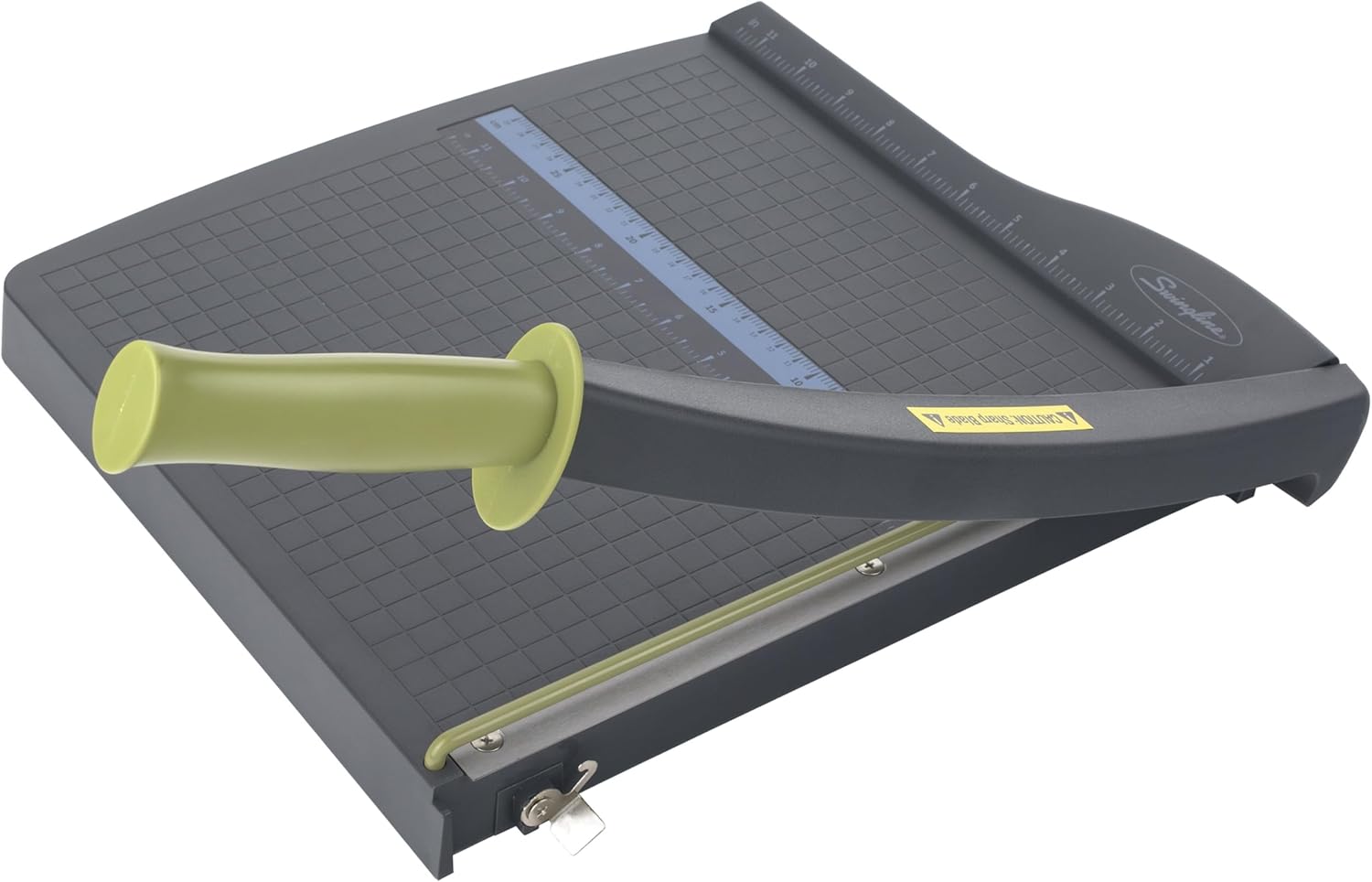
Inspected package: 12-inch · 10-sheet capacity · ClassicCut Lite; one cutter
The inspected Swingline listing is the ClassicCut Lite 12-inch model, with the 10-sheet-capacity style selected. The manufacturer bases that capacity on 20-pound paper and documents a protective guard rail, alignment grid, and blade latch.
Consider it when you prefer the up-and-down guillotine format for ordinary document trimming. That is a different working motion from sliding a small carriage along a rail, so choose according to the setup you actually want to use.
There is an important size limit beyond the headline cutting length. Swingline recommends a maximum paper size of 8.5 by 11 inches because of the fixed guard rail, so do not interpret the 12-inch label as a promise that every 12-inch craft sheet fits.
The guard and latch are documented features, not permission to leave a cutter accessible to children or to place your fingers in the blade path. Read the model’s instructions, keep safety parts in place, and use a storage location appropriate for a sharp cutting tool.
The limitation for thicker projects is the capacity’s material basis. Ten sheets of ordinary 20-pound paper does not establish a ten-sheet capacity for heavy cardstock, laminated material, or a different stock whose thickness you have not checked.
Check Price on AmazonCARL RT-200N: consider a rotary system with replaceable components

Inspected package: 12-inch size · single rotary cutter
The inspected CARL listing is the 12-inch Professional Rotary cutter, corresponding to the RT-200N. The manufacturer documents an encased rotary blade, a metal base, a magnetic paper guide, and a removable extended base.
Consider it when repeated straight cuts and identifiable replacement components are priorities. The magnetic guide is a concrete feature to investigate if you want several pieces at the same width, rather than repeatedly relying on a mark you made on the paper.
CARL rates the standard straight blade for up to 15 sheets of 20-pound paper. Its separately sold perforation blade has a different stated limit, so do not carry the straight-cut figure over to a different accessory or operation.
The official page identifies G-01 and G-02 blade options and the RM-12/2 cutting mat for the RT-200N. Check the exact replacement before buying, because a part intended for a longer model or another cutting system may not answer your maintenance needs.
The trade-off is that a rotary system gives you components to identify and eventually maintain. We did not test its edge quality, repeatability, or service life, and replaceable parts alone do not prove lower long-term cost for your particular workload.
Check Price on AmazonSeparate cutting travel from measuring support
Two product measurements can sound like the same feature when you read quickly. Cutting length describes the cut the mechanism can travel, while an extension may provide measuring or sheet support outside the main base.
Look at a diagram or product instructions with your actual sheet beside you. If the paper needs to sit under a fixed rail, that clearance matters even when another dimension appears long enough on the product page.
You should also leave enough clear table space for the material before and after the cut. A tool that fits inside a drawer may still need a much larger working area once you open an arm or position a sheet.

Treat capacity as a specific claim about specific paper
Use a documented sheet limit as a ceiling under its stated conditions, not a target you have to reach. If your usual projects involve one or two sheets, a larger number may add less value than a guide you find straightforward to use.
Keep a piece of the actual paper packaging with your project notes if you regularly compare stocks. Recording its identity is more useful than calling every thick sheet cardstock and assuming one cutting limit covers the whole category.
For unfamiliar material, read the exact cutter’s supported-media instructions and ask the manufacturer when the answer is unclear. Do not force a tool through material simply because a thinner paper stack was allowed by its specification.
Before cutting a finished design, check the intended dimensions on a spare print or an expendable piece of the same stock. That lets you confirm the layout and measurement you want without treating the first valuable copy as a trial of the whole setup.
Compare the complete purchase
Make sure a shopping result is the cutter itself rather than a replacement blade, cutting mat, or accessory. Product-family names and photographs can make those results look similar when you are scanning a list quickly.
Then check the exact size and package quantity against the link in this guide. A longer model or a bundle can be a reasonable purchase, but it should be a deliberate change rather than an unnoticed selection inside a listing.
Your next step can be simple: choose the mechanism you prefer, confirm your sheet fits, and read the instructions before ordering. A clearly matched tool and project will give you a more useful decision than buying the highest sheet count and hoping the rest works out.