Best Refurbished All-in-One Laser Printers for Home and Office
Finding a reliable refurbished all-in-one laser printer can save you money while providing excellent performance for your home or office needs. These printers combine printing, scanning, copying, and sometimes faxing in a compact unit. Below is a comparison table of top refurbished models currently available to help you choose the right printer that fits your requirements.
| Printer Model | Key Features | Ideal For |
|---|---|---|
| HP LaserJet MFP M140w | Wireless, fast monochrome printing, compact all-in-one | Home and small office |
| HP LaserJet Pro MFP 3101fdw | Auto two-sided printing, fax, fast printing, office ready | Small teams up to 7 people |
| HP LaserJet MFP M235sdw | Duplex printing, dual-band Wi-Fi, fast black & white prints | Small office 1-5 users |
| HP LaserJet MFP M234sdw | Built-in Ethernet, auto document feeder, instant ink ready | Small business and home office |
| HP Color LaserJet Pro MFP 3301sdw | Color printing, professional toner, wireless, office use | Small teams needing color output |
HP LaserJet MFP M140w Wireless Monochrome All-in-One Printer
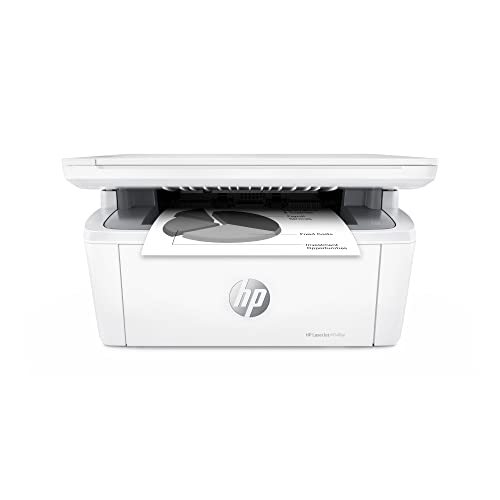
The HP LaserJet MFP M140w is a versatile all-in-one printer combining printing, copying, and scanning in a compact device. It supports wireless connectivity allowing printing directly from phones, tablets, or laptops through Wi-Fi, reducing cable clutter. The printer delivers fast and sharp monochrome prints, ideal for black-and-white reports, invoices, and documents. Its auto-on/off technology enhances energy efficiency, making it a practical choice for home users and small offices who want dependable performance without sacrificing space or quality.
HP LaserJet Pro MFP 3101fdw Wireless Black & White Laser Printer

This HP LaserJet Pro MFP 3101fdw is tailored for small teams looking for professional-quality black-and-white prints, scanning, copying, and faxing. It features an auto-duplexer for two-sided printing and an automatic document feeder (ADF) for fast scanning and copying. With print speeds up to 35 pages per minute, it handles high-volume tasks efficiently. Intelligent Wi-Fi connectivity keeps the device reliably online, enhancing workflow for up to seven users in office environments.
HP LaserJet MFP M235sdw Wireless Duo-Sided All-in-One Laser Printer

The HP LaserJet MFP M235sdw is known for its fast two-sided printing at up to 28 pages per minute, making it ideal for busy small offices with up to five users. It offers black-and-white printing, copying, and scanning, paired with reliable dual-band Wi-Fi that automatically detects and resolves connectivity issues. This printer’s speed and dependable wireless connection support productivity, especially when handling multipage print projects efficiently.
HP LaserJet MFP M234sdw Wireless Monochrome All-in-One Printer

Designed for small businesses and home offices, the HP LaserJet MFP M234sdw provides high-quality black-and-white prints with fast two-sided printing speeds. It includes a built-in Ethernet port and wireless connectivity plus an automatic document feeder for easy scanning and copying. With optional Instant Ink subscription availability, it ensures toner is delivered before you run out, supporting uninterrupted printing. This all-in-one meets professional demands with efficient document processing.
HP Color LaserJet Pro MFP 3301sdw Wireless All-in-One Printer

The HP Color LaserJet Pro MFP 3301sdw stands out with professional-quality color printing alongside scanning and copying functions. It supports speeds up to 26 pages per minute for both black-and-white and color prints. Equipped with next-generation TerraJet toner, it delivers vivid colors suitable for small teams producing business reports, presentations, and colored documents. Wireless connectivity ensures easy access across devices for fast, reliable printing.
Buying Guide for Refurbished All-in-One Laser Printers
When selecting the best refurbished all-in-one laser printer, consider the following key factors to ensure a purchase that meets your requirements for performance, cost-efficiency, and reliability.
Functionality and Usage Needs
- Monochrome vs. Color: Choose monochrome printers for black-and-white documents and cost-effectiveness; color laser printers suit those with color printing needs.
- Multi-function Capabilities: Evaluate if you need combined printing, scanning, copying, and faxing in one device to save space and simplify tasks.
- Print Volume: Assess your typical monthly print volume to select a model that matches your workload for durability and efficiency.
Connectivity Options
- Wireless and Ethernet: Wi-Fi connectivity is essential for easy mobile and network printing; Ethernet provides stable wired connections for busy offices.
- Mobile Printing: Look for support on apps like HP Smart or compatibility with AirPrint and Google Cloud Print for printing from phones or tablets.
- Automatic Document Feeder (ADF): Useful for multi-page scans and copies, speeding up workflow significantly.
Print Speed and Quality
- Pages Per Minute (ppm): Faster printing suits high-volume environments, especially models printing 25 ppm or above.
- Duplex Printing: Auto two-sided printing reduces paper use and convenience for lengthy document projects.
- Print Resolution: Higher dpi values improve sharpness, especially critical for scanned images and color prints.
Cost Considerations
- Refurbished Warranty: Ensure the refurbished printer includes a warranty for peace of mind and service support.
- Toner and Ink Expenses: Consider the cost and availability of toner cartridges or subscription services like Instant Ink to manage recurring costs.
- Energy Efficiency: Features like auto-on/off technology help reduce power consumption and lower operating costs.
Size and Design
- Compact Models: Ideal for tight office spaces or home use where footprint is limited.
- Build Quality: Look for robust construction suitable for long-term use, typical of well-maintained refurbished units.