Best Magazine Paper for Printer to Enhance Print Quality
Choosing the best magazine paper for printer plays a crucial role in achieving vibrant colors, sharp images, and professional presentation. Whether printing flyers, brochures, or full magazines, selecting the right paper type affects ink absorption, drying time, texture, and overall durability. Below is a summary table featuring top-rated magazine papers ideal for inkjet and laser printers, valued for their finish, weight, and compatibility with various inks.
| Product | Brand | Type | Size | Sheets Per Pack |
|---|---|---|---|---|
| PPD Double Sided Photo Paper | PPD | Matte, Double-sided | 8.5 x 11 in | 50 |
| HP Everyday Business Paper | HP | Glossy | 8.5 x 11 in | 150 |
| Koala Glossy Thin Inkjet Paper | KOALA PAPER | Glossy, Single-sided | 8.5 x 11 in | 100 |
| Koala Double Side Thin Glossy Photo Paper | KOALA PAPER | Glossy, Double-sided | 11 x 17 in | 100 |
| Hammermill Printer Paper | Hammermill | Matte, Multi-purpose | 8.5 x 11 in | 500 |
PPD Double Sided Matte Photo Paper For Printers

The PPD Double Sided Photo Paper is expertly crafted using 130 gsm material with a matte finish. This thickness and finish deliver vivid prints that are instant-dry and water-resistant, making it ideal for magazines, brochures, and presentations needing sharp details on both sides. Its compatibility with all inkjet printers, including both dye and pigment inks, offers versatility for most creative and professional printing requirements. Each sheet measures 8.5 x 11 inches, and 50 sheets come in a pack, sufficient for small to mid-sized print runs.
HP Everyday Business Glossy Paper

This HP paper offers a sleek glossy finish that enhances photos and graphics with professional clarity and bright colors. At 32 lb weight and 8.5 x 11 inches, it’s designed for laser printers used in business environments, perfect for printing two-sided financial documents, plans, and reports. The glossy surface ensures documents stand out with vibrancy and sharp text, while HP’s support for mobile printing through the Smart app adds convenience for users on the go.
Koala Glossy Thin Inkjet Paper 115gsm
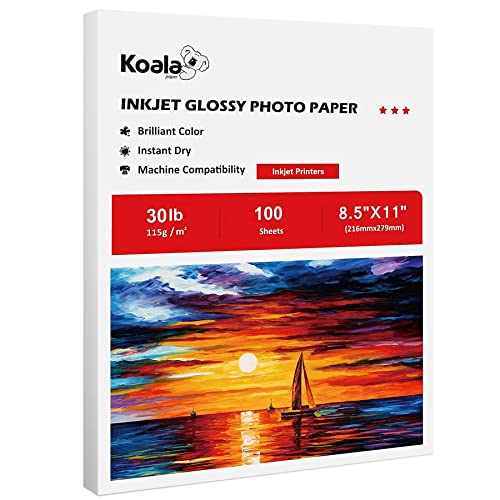
Koala’s Glossy Thin Inkjet Paper is made at 115gsm with a fast-dry formula to prevent smudging or smearing. Though thin, it has a smooth glossy finish ideal for single-sided printing of visual materials like flyers, brochures, and intricate graphics. Compatible exclusively with dye-based inkjet printers, this paper delivers sharp text and vivid images suitable for detailed visual presentations. Its 100-sheet pack size supports frequent printing without interruption.
Koala Double Side Thin Glossy Photo Paper 11×17

This Koala paper stands out with its double-sided glossy finish measuring a generous 11 x 17 inches, perfect for magazines, posters, brochures, and flyers requiring full-color photos on both sides. At 120gsm, the thin paper supports fast drying and excellent ink absorption. It is specifically compatible with inkjet printers using dye ink, offering vibrant, high-resolution color reproduction without smudging, ideal for creative printing projects involving detailed graphics and text.
Hammermill Premium Inkjet & Laser Printer Paper
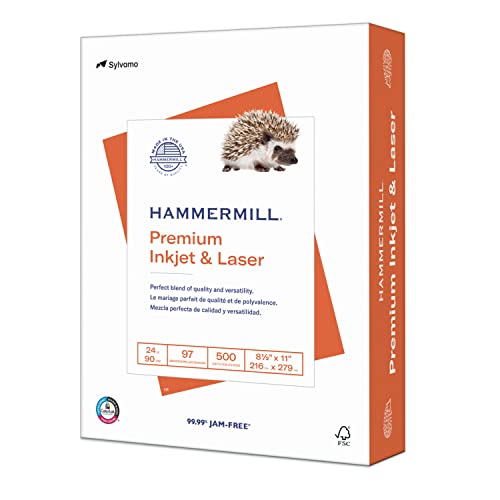
The Hammermill Printer Paper offers premium quality designed for versatile printing on both inkjet and laser devices. At 24 lb weight with a bright 97 rating, it excels in delivering sharp, clear images with vivid colors using ColorLok Technology, which accelerates ink drying time. This acid-free paper minimizes yellowing for long-lasting prints, making it ideal for newsletters, memos, reports, or any project demanding professional appearance with smooth printing and long-term durability.
Buying Guide For Selecting Magazine Paper For Printer
When selecting the best magazine paper for your printer, consider the following key factors to ensure your printed materials appear professional and vibrant:
- Paper Type: Decide if you need glossy or matte finish. Glossy papers give a shiny, vibrant look ideal for photos, while matte papers offer a glare-free, sophisticated appearance better for text-heavy documents.
- Weight and Thickness: Paper weight (gsm or lbs) influences durability and feel. Heavier paper (above 120gsm or 32lb) feels premium and is less prone to wrinkling, suitable for covers and double-sided printing.
- Ink Compatibility: Ensure the paper matches your printer type and ink. Dye-based inks work best with glossy inkjet papers, while pigment inks may require matte or specialty papers. Some papers are laser printer compatible, expanding your options.
- Print Sides: Double-sided printable paper helps reduce costs and enhances magazine professionalism but requires paper that resists ink bleed-through.
- Drying Time and Smudge Resistance: Fast drying papers help prevent smearing, especially important for high-volume projects or quick handling after printing.
- Sheet Size and Quantity: Choose sizes compatible with your printer and enough sheets per pack based on your project scale to optimize workflow and cost.
By balancing these attributes according to your printing needs and desired end-use, you can achieve crisp, vibrant magazine prints that impress readers and customers alike.