Best Industrial Printer Copier Scanner for Efficient Office Solutions
Finding the best industrial printer copier scanner combines versatility, speed, and reliability for demanding work environments. Whether for a busy office or a professional workspace, these multifunction devices streamline printing, scanning, copying, and faxing tasks. Below is a summary of top recommended products that excel in performance and feature-rich operation to meet industrial and office needs.
| Product | Brand | Key Features | Print Speed (PPM) |
|---|---|---|---|
| HP LaserJet Pro MFP 3101fdw | HP | Wireless, Auto duplex, Auto document feeder, Fax | 35 |
| Canon imageCLASS MF465dw | Canon | Wireless 4-in-1, 5-inch color touchscreen, Application Library | 42 |
| Canon imageCLASS MF273dw | Canon | Wireless 3-in-1, Auto document feeder, Fast first print | 30 |
| Brother MFC-J6540DW Wide Format | Brother | Dual band wireless, 11×17 printing, 250-sheet tray, 50-sheet ADF | 28 |
| Canon PIXMA TR8620a | Canon | Wireless 4-in-1, Alexa integration, Auto document feeder | Varies (Photo & Document) |
HP LaserJet Pro MFP 3101fdw Wireless Black & White All-in-One Laser Printer

The HP LaserJet Pro MFP 3101fdw is designed for small teams needing reliable black and white printed documents with enhanced speed. It offers fast print speeds of up to 35 pages per minute and features auto two-sided printing, which saves paper. The built-in auto document feeder speeds up copying and scanning while fax functionality completes this all-in-one unit’s capabilities. With intelligent Wi-Fi, it maintains a strong connection, ensuring smooth workflow for up to seven people. This device is ideal for offices requiring efficient, professional document management.
Canon imageCLASS MF465dw – Wireless 4-in-1 Laser Printer with Touchscreen

The Canon imageCLASS MF465dw offers a robust 4-in-1 combination: printing, scanning, copying, and faxing. Its standout feature is the 5-inch color touchscreen that allows easy navigation and customization via the Application Library, optimizing workflow. It boasts superfast printing at 42 pages per minute and a quick first page out, minimizing wait times. Wireless connectivity and duplex printing help increase productivity, making it suitable for busy offices needing high-volume monochrome printing with multi-function capabilities.
Canon imageCLASS MF273dw Wireless Monochrome Multifunction Printer

The Canon imageCLASS MF273dw is a versatile 3-in-1 wireless device combining print, scan, and copy functions. It delivers 30 pages per minute in black and white with a fast first print time of approximately 5.3 seconds, perfect for steady office demands. Its auto document feeder streamlines multi-page scanning and copying tasks. The compact and efficient design fits well into smaller office spaces, providing reliable monochrome performance without compromising on features.
Brother MFC-J6540DW Wide Format All-in-One Wireless Color Printer
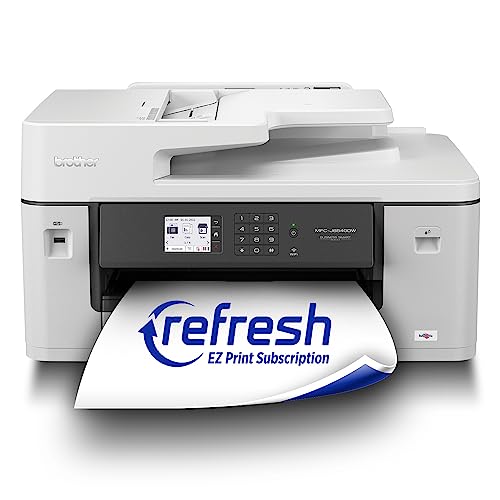
The Brother MFC-J6540DW caters to businesses needing wide-format printing up to 11×17 inches. This color all-in-one machine supports wireless printing, scanning, copying, and faxing with a fast 28 pages per minute output. Dual-band Wi-Fi and Wi-Fi Direct enhance connectivity options, and the large 250-sheet paper tray and 50-sheet automatic document feeder boost capacity for high-volume tasks. Advanced paper handling and mobile device integration support diverse printing requirements, making it an efficient choice for professional environments.
Canon PIXMA TR8620a All-in-One Wireless Printer for Home Office

The Canon PIXMA TR8620a is a 4-in-1 wireless printer designed for versatile home or office use. It supports printing, copying, scanning, and faxing, while seamlessly integrating with Alexa for smart reorder notifications to avoid running low on ink. Its auto document feeder and photo printing capabilities make it suitable for mixed media workflows. This device blends modern voice-controlled convenience with essential multifunction features to keep your productivity flowing smoothly.
Buying Guide: How to Choose the Right Industrial Printer Copier Scanner
When selecting an industrial printer copier scanner, consider the following key factors to match your business needs and workflow efficiency:
- Print Speed and Volume: Higher pages per minute (PPM) speeds and large paper capacity are crucial for environments with heavy printing demands.
- Multi-function Features: Look for integrated copying, scanning, and faxing capabilities to consolidate office equipment and save space.
- Connectivity Options: Wireless (Wi-Fi 802.11 standards), Ethernet, and mobile printing compatibility facilitate flexible device placement and user convenience.
- Print Quality and Media Support: Ensure the printer supports your required resolution and can handle diverse paper sizes and media types relevant to your projects, such as wide-format or card stock.
- Duplex (Two-sided) Printing: Helps reduce paper waste and can speed up multi-page document production.
- Reliability and Duty Cycle: Check recommended monthly page volumes and durability to meet your business’s workload without frequent maintenance.
- User Interface and Controls: Touchscreens or smart app integration can simplify operation and improve productivity.
- Additional Features: Automatic document feeders (ADF), fast first page out times, and smart ink or toner management can streamline your experience.
Considering these perspectives will help you select a printer copier scanner optimized for your industrial or office environment, balancing performance, ongoing costs, and ease of use.