Best 3D Printer Scanner Apps With Top Handheld Device Picks
Finding a reliable and precise 3D scanner app that works seamlessly with handheld 3D scanners is essential for creating detailed models for printing, design, or digital art. This article highlights five of the best handheld 3D scanners available, compatible with apps that capture high-quality scans quickly and accurately.
| Product | Brand | Key Feature | Compatibility |
|---|---|---|---|
| Revopoint MetroX 3D Scanner | Revopoint | Industrial-grade blue laser, up to 60fps | Windows, macOS |
| Creality CR-Scan Ferret Pro | Creality | 0.1mm accuracy, WiFi6 wireless | Windows, Mac, iOS, Android |
| Creality 3D Scanner Raptor Pro | Creality | Metrology-grade 0.02mm accuracy, anti-shake | Windows, Mac |
| Revopoint POP3 Plus 3D Scanner | Revopoint | 0.04mm precision, full-color HD scan | Android, iOS, Windows, macOS |
| Creality CR-Scan Ferret Pro Wireless | CREALITY FALCON | WiFi6 wireless bridge, outdoor scanning | Windows, Mac, iOS, Android |
Revopoint MetroX 3D Scanner for Metrology-Grade Precision

The Revopoint MetroX offers industrial-grade blue laser scanning with exceptional accuracy up to 0.01 mm and precision of 0.02 mm. It utilizes a Class 2M laser and supports GPU-accelerated 14-crossed blue laser lines for fast capture speeds reaching 60 fps. Four scanning modes include Cross Lines, Parallel Lines, Full-field, and Auto Turntable to cater to diverse object types and surfaces. This scanner efficiently handles dark or shiny surfaces without scanning spray, making it ideal for industrial measurement and high-quality 3D printing workflows on Windows and macOS systems.
Creality CR-Scan Ferret Pro 3D Scanner with Wireless WiFi6
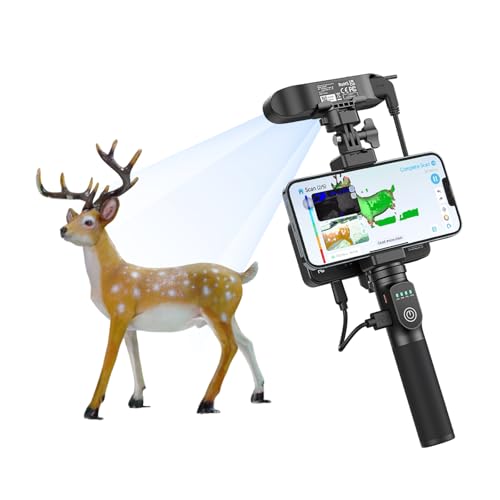
This handheld 3D scanner from Creality delivers 0.1 mm accuracy and 60 FPS fast scanning. It integrates an anti-shake One-Shot 3D imaging technology for smooth, stable captures even during handheld use. The Ferret Pro uniquely supports a full-color RGB camera, enabling realistic color texture capture in OBJ, STL, and PLY formats. Its advanced WiFi6 wireless feature provides fast data transmission, and it is compatible across Windows, Mac, iOS, and Android platforms, perfect for scanning black or metallic objects without sprays.
Creality 3D Scanner Raptor Pro for Engineering Projects

The Raptor Pro stands out with metrology-grade accuracy of 0.02 mm, employing 22 cross laser and 7 parallel blue laser lines to scan small to large objects. It operates at speeds up to 60 FPS, processing 660,000 points per second to minimize scan times. Its anti-shake One-Shot 3D imaging technology stabilizes scans, ideal for automotive and engineering projects requiring fast yet precise 3D model creation for both intricate parts and large surfaces.
Revopoint POP3 Plus Handheld 3D Scanner with High Precision
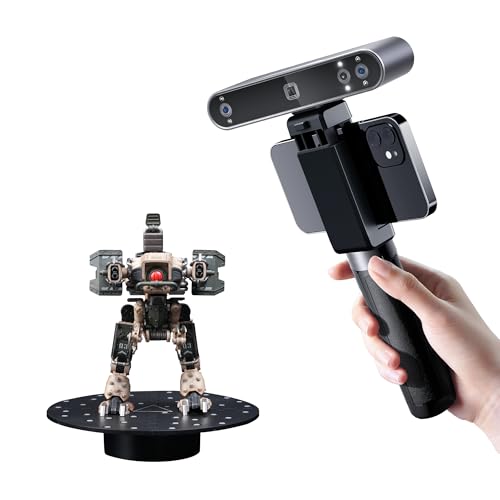
The Revopoint POP3 Plus enhances precision by 20%, achieving a notable 0.04 mm detail level with an advanced calibration board and optical zoom. It offers a full-color HD RGB camera for lifelike scans, complemented by Flash LED lighting. The scanner maintains stability using a 9-axis IMU and operates up to 18 fps. Supporting Android, iOS, Windows, and macOS, it’s versatile for medium object scanning in 3D printing, digital arts, and design projects.
Creality CR-Scan Ferret Pro Wireless Handheld 3D Scanner
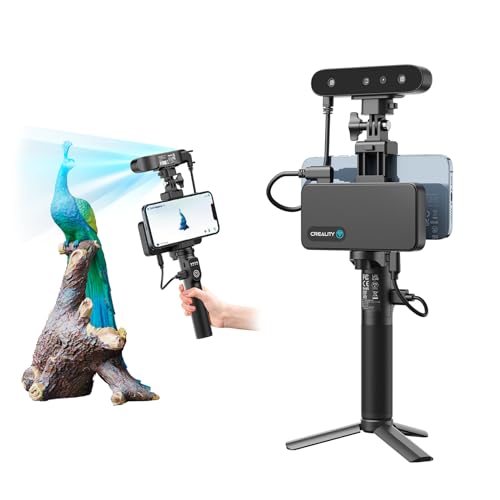
This wireless version of the Ferret Pro features an advanced WiFi6 bridge for data transfer speeds three times faster than WiFi5, enabling efficient scanning workflows. It supports 30 FPS full-color scanning at an accuracy of 0.1 mm and a resolution of 0.16 mm. Enhanced optical technology and a robust algorithm provide excellent outdoor scanning under sunlight (<30000 lux). Compatible with Windows, Mac, iOS, and Android, it’s designed for flexible use anytime and anywhere.
Buying Guide for 3D Printer Scanner Apps and Handheld Devices
Choosing a 3D printer scanner app and compatible handheld scanner depends on various important factors. Below are the key considerations for making an informed purchase.
Scanning Accuracy and Precision
Accuracy determines how closely a scan represents the real object’s dimensions. For professional or industrial use, aim for scanners with precision around 0.01 to 0.04 mm. Hobby or casual projects may accept 0.1 mm accuracy. The app should support the scanner’s precision level without data loss.
Scanning Speed and Frame Rate
Scan speeds, measured in frames per second (FPS), influence productivity. Higher FPS (30–60 FPS) results in faster scans, essential when scanning large or multiple objects. The accompanying app must handle high-speed data transfer smoothly, ideally supporting WiFi6 or similar connectivity.
Color Capture Capability
Full-color scanning is valuable for realistic 3D models used in digital art, product design, or visualization. Scanners with integrated RGB cameras provide textured, color-accurate scans. Ensure the scanning app supports and preserves this color data in export formats compatible with your 3D printing software.
Compatibility and Software Support
Verify the scanner’s app compatibility with your operating system (Windows, macOS, Android, iOS). Broad compatibility increases flexibility. The app should offer multiple export formats like STL, OBJ, or PLY to integrate with popular 3D printing or modeling software such as Blender, Fusion 360, or Maya.
Portability and Ease of Use
Handheld scanners come in varying sizes and weights — lighter and wireless models offer better portability and convenience. User-friendly apps with intuitive interfaces make scanning straightforward even for beginners. Features like auto turntable mode or stabilization technology aid smoother scanning experiences.
Surface and Object Adaptability
Some scanners excel at capturing challenging surfaces such as shiny, dark, or metallic objects without requiring sprays. If you scan diverse items, prioritize devices and apps optimized for multi-surface scanning to avoid extra preprocessing steps.
Environmental Versatility
For outdoor or varying lighting conditions, scanners with algorithms adapting to brightness and ambient changes help maintain consistent scan quality. Apps supporting environmental adaptability increase the scanner’s usability beyond controlled indoor settings.
Data Processing and Onboard Features
Some scanners feature onboard computing or editing capabilities, reducing dependence on external computers or complicated workflows. The app’s role is crucial in managing post-processing, mesh generation, and file exporting efficiently.
Overall, matching a 3D scanner with a robust scanning app that complements its technical capabilities and integrates easily into your workflow maximizes your output quality and efficiency.